
Bypass Cable 2018+ CumminsUpdated 18 days ago
BYPASS CABLE INFO
( ONLY 2018+ CUMMINS MODELS)
2018+ Bypass Cable
*IF YOU HAVE A 2018+ CUMMINS OFFROAD VEHICLE, PLEASE ENSURE YOU USE THE INCLUDED CUMMINS UNLOCK CABLE AND INSTALL IT INTO YOUR OFFROAD VEHICLE BEFORE BEGINNING PROGRAMMING*
Here is a video clip to install the bypass cable. Please start the video at 1:40
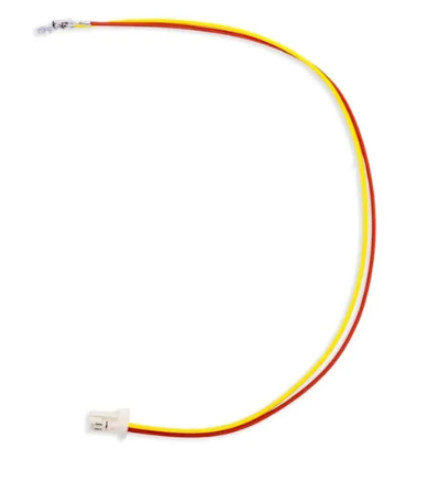
Bypass Cable Instructions
⚠️ Please Note: There are currently 2 cable types available — please refer to the images above for the most up-to-date versions. Note that color may vary.
1. Twist the tan and yellow wires so that there is at least one twist every two inches.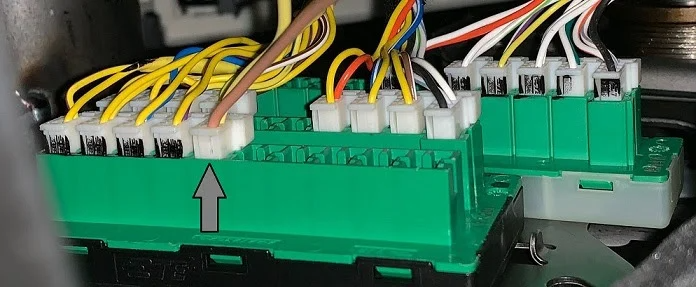
2. Carefully, remove the OBDII connector from the dash by depressing the tabs on the sides.
3. Remove the two grey pin retainers from the back of the connector.
4. One at a time, remove & replace the yellow and brown wires from locations 6 & 14. For a 2018 truck, replace the yellow with yellow and the brown with tan. For the 2019, 2020 and 2021s, replace the yellow with tan and the brown/green with yellow. No matter the wire colors, the pins go in 6 and 14.
NOTE: If you install the cable and can’t connect to the truck, try swapping the wires.
Another Note: A 1.5mm wide flat terminal release tool or a pointed sewing needle works for removing pins.

OBDII Connector
5. Reinstall the two grey pin retainers.
6. Locate the green “Star” connector above the parking brake. For 2018 plug the harness into any empty space, for 2019-2021 plug the harness into the fifth position from the left at the bottom.

2018 Star Connector
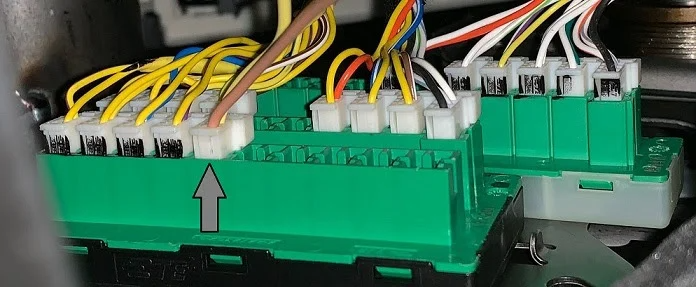
2019/2020/2021 Star connector
7. Cover & insulate the pins you removed from the OBDII connector.
8. Reinstall the OBDII connector into the factory location.
This cable is meant to be installed and left in the vehicle, NOT intended to be uninstalled and re-used. Once installed, the OBDII will still function normally.
HOW TO INSTALL CUMMINS BYPASS CABLE
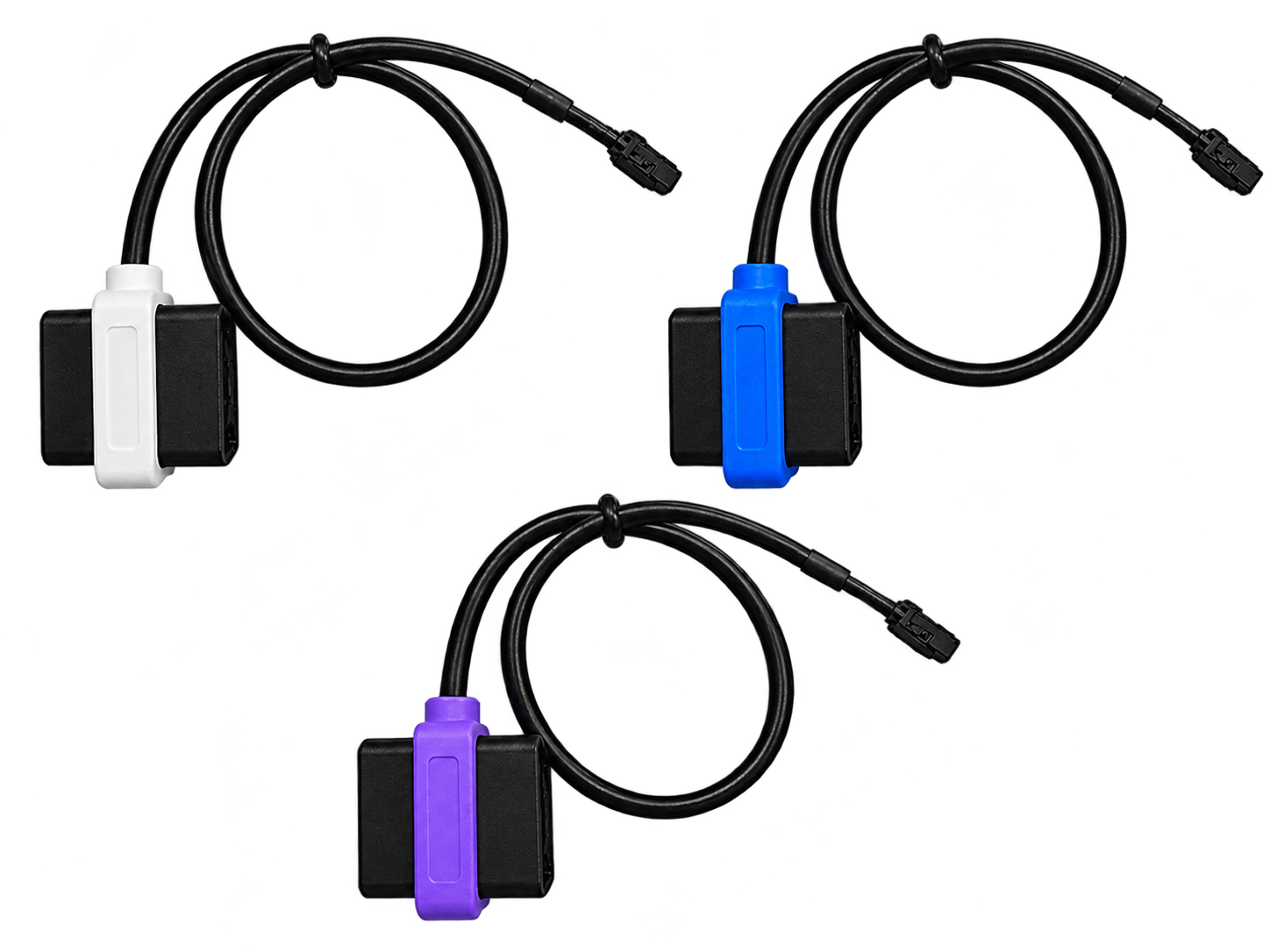
Most 2018+ Cummins trucks have a Security Gateway Module (SGW) built into the wiring that blocks tuning tools from directly accessing the ECM. The bypass cable reconnects the communication lines (CAN/EOBD) so your tuning tool sees the ECM normally
Step-by-Step Installation
1. Turn Off the Truck
- Ensure ignition is OFF and keys are out.
2. Locate the Bypass Connector
- On 2018+ Cummins 6.7L (Ram), there’s a large white multi-pin connector above the OEM OBD-II port inside the driver’s footwell.
⚠️ Do not unplug the factory OBD-II port — you want the larger white connector above it.
3. Prep the Bypass Cable
- Some cables are plug-and-play (just plug in).
- Others (especially DIY bypass) may require de-pinning two CAN wires from the factory OBD-II plug and inserting them into the bypass harness.
4. Connect the Bypass Cable
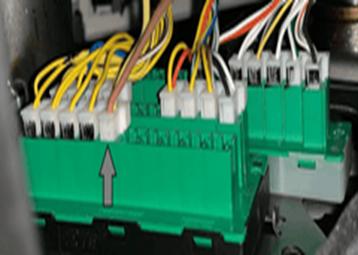
On 2018 Cummins plug the cable into any of the open spots, 2019+ you must put it in the 5th position down on the left hand side
- The connector only fits one way — don’t force it.
- Make sure it seats fully with the locking tab engaged.
5. Verify Connection
- Wiggle the harness gently to ensure it’s secure.
- Optional: zip-tie it up so it doesn’t hang down or pull.
Disclaimer : If you want to keep the Bypass cable connected you can. You can also remove it. It will not make any difference. You will need to install it again if you ever require tune revisions.